Unfortunately I'm still sticking with Chrome. I love Firefox but Chrome loads "instantly" while Firefox: even 15 still has a noticeable lag when you launch it.
Firefox has always felt very unresponsive in terms of the UI and loading times. The only browser I've found less responsive is Safari (IE, is very responsive).
Memory consumption was an issue at one stage in Firefox's history but they mostly fixed that (from 1 GB/usage down to like 200 MB~ after a day of browsing).
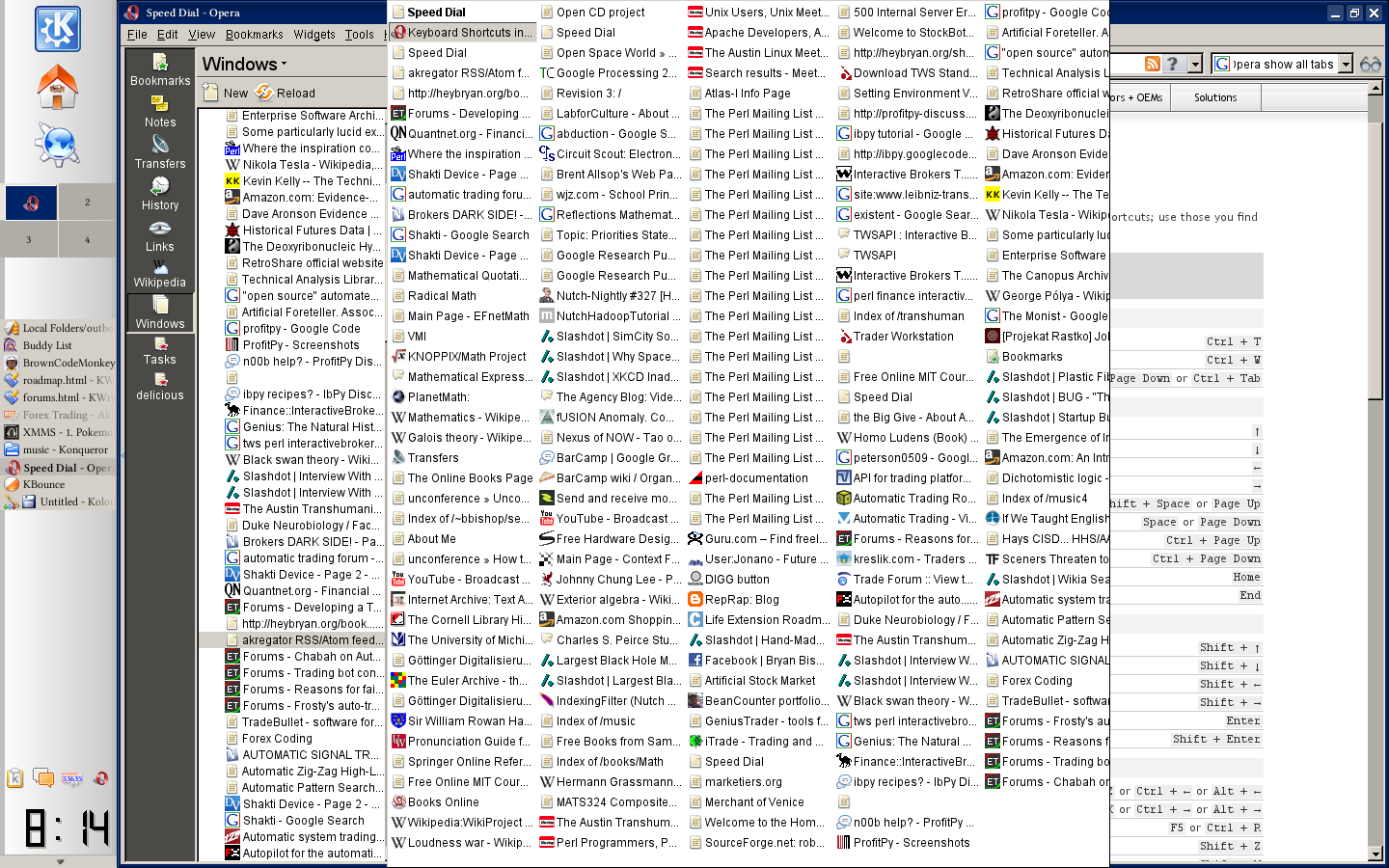
I'd consider switching to Chrome if it weren't for the nightmarish way it expects you to manage tabs. I typically have 30 or so tabs open at any given time, and in Chrome that means a horizontal row of very tiny tabs with only icons (no text...therefore no context) across the top. They used to have sidebar capabilities (on Windows, which didn't help this Linux user) but for some reason I can't fathom they removed them.
Contrast this with Firefox, where I can easily get a tab bar down the side via a plugin (I use this: https://addons.mozilla.org/en-US/firefox/addon/tree-style-ta...). Even without a plugin, FF gives me the Expose-like functionality (ctrl+shift+e) which will show me all open tabs and their titles.
How Google can think the current tab situation in Chrome is useful is a mystery to me.
The one thing Chrome tabs have going for them is that they're oh so fast and smooth. I think tabs in Chrome are like the Dock for Mac OS X.
When OS X was first released, the Dock was an object of ridicule. (Among some of us, it still is, but we all realize that by now it's not going away.) It was demonstrably worse than previous mechanisms at just about everything, and it make OS X look like a toy. Eventually Tog[1] came around, sort of:
> Contrary to my previously-held position, I no longer believe Apple should get rid of the Dock. It's just too pretty [...] You want a visibly-apparent manifestation of the personality of the underlying technology. That's why automakers spend milliions making the outside of the car project an image of what's underneath the skin.
The supersmooth tabs in Chrome are probably a significant portion of what makes Chrome feel faster, even when it isn't. Like the Dock, their outrageously high demo value probably exceeds their limited scalability for more experienced users.
I still use Chrome despite it not behaving very well with 10 or so tabs open. It either starts getting slow or will keep the previous page's cache and will refuse to load the new (URL) page. The ways around this are annoying. Close unresponsive tab and open new one, restart the browser or empty cache. FF seems not to suffer from this problem but it still feels a bit slower in general.
What's worse is when you have enough tabs open, they start becoming hidden under the open-new-tab button on the right. This has been a bug for a long time. I suspect it's gotten tied up with the furor over the removal of the side/vertical tabs, which have been hacked in via addons since. What's sad is that Firefox already has an elegant solution -- maintain a minimum useful tab width and enable horizontal scrolling of the tab row when the mouse is over it.
Ill bet he just opens every link in a new tab and uses tabs as readme-later list and navigation history. Both usecases are better served differently.
In general there is lots of overlap between tabs/tabgroups/bookmarks/history/readmelater/systemtaskbar/sessionrecovery.
Most people need all use cases but pick one or two features and emulate the rest themselves. Most tab related firefox plugins essentially duplicate functionality already present on top of the tab system.
For example: hierarchical tabs on the left with tab recovery is identical to having a bookmark list on the left.
It is my opinion that these concepts should all merge, preferbly at the desktop shell level. Ubuntu is movng is this direction, but they add this functionality on top of all the existing functionality. We can only hope that they will in the future consolidate all the overlap.
They're really not. Not with any alternatives I've found, anyway. Tabs aren't just navigation history; they're curated, temporary history. Unworthy of the permanence of bookmarking, yet too important to regulate to the dense, rapid flow of history.
I use Pocket and Delicious to keep things in check, but they don't help as much I'd like. The most effective tab management tool for me has been Firefox's tab candy/expose feature. It's much easier to get an overview of what's open and spot unnecessary tabs with the grid of thumbnails.
I don't think tabs with tab recovery is always equivalent to a bookmark list. Personally, I have 30-40 tabs open. This is because I have several projects I work on, any of which I may research in 10 or more tabs. When I switch between projects, I don't want to have to close all the tabs and reopen them. I don't care if they are swapped out of memory, but the access should remain easy. Having to manually bookmark these to come back to them isn't easy.
I was not claiming the problem exist with the user.
Im claiming there is lots of overlap in functionality. The differences are in the default behavior and the UI elements. In the end, it should all be one big directed graph.
I would rather state it the other way around. The fact that people use tabs, means the bookmark functionality is broken from a UX perspective.
If I'm doing some kind of research, I'm quite likely to have over 100 tabs open. In Firefox, I use Tab Mix Plus to get 3 rows of 10 tabs with the option to scroll the rows. 30 tabs is a good working set really.
Whenever I'm stuck with another browser, I'm still in the habit of launching lots of tabs but then I immediately get lost.
On my machine with standard 5400RPM drive - the difference between Chrome and FF startup is barely noticeable. May be it is some addon that's slowing FF down for you?
No matter how better Chrome gets - speed and security wise, I just don't seem to be able to give up FF. Addons, cross platform consistency (I use OS X, Windows and Linux all 3 in a typical day), Font rendering, continuous memory usage improvements, less site specific issues etc. seem to be all keeping me on FF.
Conversely when you have a bunch of tabs open Chrome will be gobbling up memory whilst firefox is quite svelte these days- much better than Chrome here.
I can't say I have an issue with load times for either, although i rarely wouldn't have a browser open so it is becoming like the 'irrelevance' that some people claim boot times are, to some extent.
Comparing the differences in memory consumption between Firefox & Chrome is apples & oranges. Chrome will always use more memory because it has the overhead of sandboxing (almost) every tab into separate processes. It's a tradeoff of that design -- security & stability is enhanced, at the expense of increased RAM use.
This always puzzles me too. I start firefox maybe twice a week across 2 or 3 machines, then just let it run until an OS update requires a reboot (or in some cases when it's using > 1.5G of memory which is rare and may stop once I upgrade to ff15).
It would be instructional to understand what the actual difference in cold startup times are between Chrome and Firefox on your machine. Would you take some wall-clock measurements of cold startup and post a comparison for the HN community (and FF developers)? Chrome uses tricks that create the perception of speed; please measure how long it takes for the browser to be "usable", which is defined by when you start typing in the address bar and auto-complete results appear.
Just a prediction, but you will realize that the difference in startup performance is but a perception.
For me Chrome also starts instantly but then it starts churning on the disk so hard that it is basically unusable for the first minute. Kind of reminds me of windows XP.
I used Chrome for quite a while because Firefox's interface felt unresponsive, as you echoed. However, starting with version 14, I have been finding it snappier than Chrome. Just my 2 cents.
Do you quit and restart Chrome many times during the day?
>> Firefox has always felt very unresponsive in terms of the UI and loading times. The only browser I've found less responsive is Safari (IE, is very responsive).
Part of the point is that recent FireFox has improved this.
Have you tried the "Don't load tabs until selected" option? It's under "Tabs" in the options/preferences. It causes restored tabs to load lazily, which can speed up start-up significantly.
I'm also still sticking with Chrome. Firefox's processor usage is really problematic for me. It keeps on utilizing ~15% of CPU even if only one new tab is open.
I've seen this too. However, they seem to have made improvements in Firefox 15. Previously, Firefox would take around 3% CPU with just the start page open; visiting a page with an animated GIF would push it to 12%; and, most troubingly, CPU usage would stay around that level even after the page was closed. Now, the same page still takes around 11%, but Firefox stays at 0% with just the start page open, and it goes back to 0% once you close other pages.


Firefox has always felt very unresponsive in terms of the UI and loading times. The only browser I've found less responsive is Safari (IE, is very responsive).
Memory consumption was an issue at one stage in Firefox's history but they mostly fixed that (from 1 GB/usage down to like 200 MB~ after a day of browsing).